
Introduction
The modern automobile has officially ceased to be a mechanical assembly controlled by digital microcontrollers; it is now a rolling edge-compute platform. For Tesla owners throughout the United States and Europe, over-the-air (OTA) software updates have long delivered quality-of-life enhancements, yet the deployment of firmware version 2026.26 (The Summer Update) represents one of the most substantial architectural shifts in user experience since the introduction of the V11 UI.
Chapter 1: The Evolution of In-Cabin Voice: From Keyword Parsing to Conversational AI
For over seven years, Tesla's voice recognition architecture relied on a hybrid client-server model based on fixed grammatical token matching. Drivers were required to memorize discrete command syntax—such as "Set wiper speed to 2" or "Navigate to Supercharger"—to ensure predictable execution. Deviation from specific linguistic patterns frequently resulted in transcription errors or failed requests.
Legacy Voice Command Flow (Pre-2026)
Audio In -> Speech-to-Text -> Rigid Regex Intent -> CAN Bus Action
Grok-Integrated Flow (Firmware 2026.26)
Audio In -> Neural Audio Tokenizer -> Contextual LLM Engine -> Parameterized API Call -> CAN Bus / Vehicle Actuator
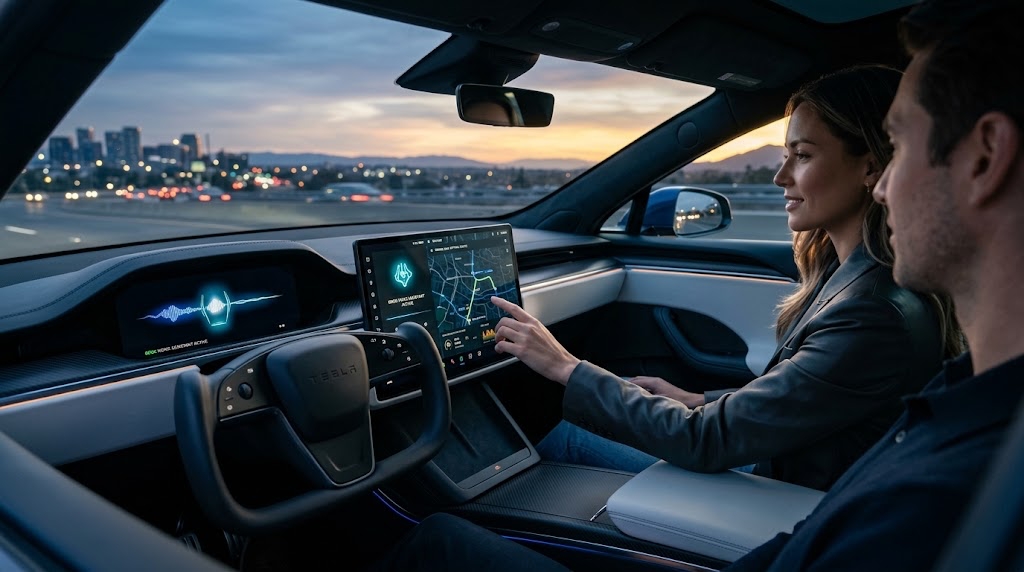
With the global rollout of firmware 2026.26 across North America and Europe, the voice stack transitions to a multimodal LLM framework. The integration is not a simple screen-bound web wrapper; it operates as an authorized subsystem capable of interpreting fuzzy contextual intent, parsing multi-step commands, and resolving conversational ambiguity without taking the driver’s eyes off the road.
Key Functional Capabilities of the Grok Integration
- Multi-Intent Parsing: Drivers can combine commands into a single sentence: "Cool the cabin down by 3 degrees, turn on the rear seat warmers, and find a coffee shop along our route with minimal detour."
- Vehicle Parameter Querying: Direct access to vehicle telematics via natural phrasing: "Why is my charging speed throttled right now?" or "What is my tire pressure relative to cold-spec?"
- Location-Based Reminders & Logic: Integration with calendar and GPS data to execute delayed actions: "Remind me to grab the groceries from the trunk when we arrive at home."
Chapter 2: Technical Architecture: CAN Bus Actuation & Voice Profiles
The primary engineering challenge in deploying conversational AI within an automotive environment is the deterministic execution of safety-critical systems. To prevent hallucination-induced control errors, Tesla utilizes a strict intermediate validation layer between the Grok natural language processor and the vehicle's gateway controller.
Voice Customization and Processing Latency
Firmware 2026.26 introduces configurable Grok personalities, allowing drivers to select distinct voice profiles (such as concise, humorous, or localized European English accents).
- Processing Latency: On MCU3 (AMD Ryzen) and MCU4-equipped vehicles, standard commands execute with a photon-to-actuation latency under 420ms when connected to 5G or Wi-Fi.
- Offline Mode Fallback: When driving through cellular dead zones (such as mountain passes in the Rocky Mountains or the Swiss Alps), the MCU falls back to a quantized edge-model capable of handling essential comfort, temperature, and navigation commands without cloud assistance.
Chapter 3: The 2026 Neural Navigation Engine Overhaul
Beyond voice features, the 2026.26 release updates the routing algorithms used by the onboard navigation computer. Historically, Tesla’s trip planner evaluated distance, nominal speed limits, terrain topology, and real-time fleet consumption to determine charging stops.
Key Improvements in Version 2026.26 Navigation:
- Micro-Detour Minimization: The algorithm no longer recommends routing off major motorways for minor charge top-ups if continuing to a high-capacity V4 station results in lower total journey time.
- Dynamic Stall Selection: Upon entering a Supercharger geofence, the center display directs the driver to specific stall numbers optimized for power-sharing balance and bay clearance.
- Alternative Routing Clarity: Real-time traffic rerouting displays the exact time delta alongside the specific reason for deviation (e.g., "Accident on I-95 adds 14 min; saving 9 min via Exit 28").
Chapter 4: Privacy & Telemetry: Navigating US vs. European Regulatory Frameworks
Deploying an always-listening, conversational AI across international markets requires adherence to starkly different regulatory environments. Tesla’s 2026.26 release notes disclose explicit regional telemetry configurations tailored for the North American and European markets.
In compliance with the EU General Data Protection Regulation (GDPR) and the EU Artificial Intelligence Act, voice tokens transmitted to the Grok server are stripped of Vehicle Identification Numbers (VIN) and localized GPS headers unless explicitly permitted during active navigation searches. European users retain the option to disable cloud inference entirely while maintaining traditional on-board command functionality.
Chapter 5: Step-by-Step Installation & Calibration Best Practices
To ensure a seamless transition and avoid frozen update loops during installation of firmware 2026.26, follow this recommended procedure:
- Verify Wi-Fi Signal Strength: Connect the vehicle to a stable 2.4 GHz or 5 GHz Wi-Fi network with minimum download speeds of 25 Mbps. Ensure the Wi-Fi icon displays at least three bars of signal reception.
- Pre-Installation State of Charge: Ensure your vehicle’s high-voltage battery is charged to at least 20% before initiating the update. The 12V/16V low-voltage battery will not charge from the main pack during an active firmware flash.
- Clear Sentry Clips & Formatting: If your USB drive or SSD is nearing full capacity, format the drive via
Controls > Safety > Format USB Driveto avoid storage input/output bottlenecks during file unpacking. - Post-Update MCU Soft Reboot: Following successful installation, perform a scroll-wheel reboot (hold down both steering wheel scroll wheels simultaneously for 10 seconds until the center screen turns black and the Tesla logo appears) to clear cached memory buffers and initialize the new voice framework.
- Grok Model Activation: Navigate to
Controls > Software > Voice Assistantand toggle Grok Voice Processing to enabled. Grant microphone permissions for vehicle controls when prompted.
Conclusion
The Tesla 2026.26 Summer Update illustrates how software-defined vehicles create compounding value over their lifespan. By replacing rigid voice scripting with an adaptive LLM layer, Tesla elevates daily usability while laying the foundation for future autonomous vehicle-to-passenger interaction. As this firmware propagates across North America and Europe, it sets a new baseline for what owners should expect from connected automotive ecosystems.
Frequently Asked Questions (FAQ)
Q: Does the Grok voice assistant require a Premium Connectivity subscription?
A: Basic local vehicle controls operate without Premium Connectivity via edge processing. However, complex contextual questions, web searches, real-time weather analytics, and conversational banter require an active Premium Connectivity subscription or a continuous mobile Wi-Fi hotspot connection.
Q: Can Grok override mechanical driving controls like steering or acceleration?
A: No. For safety and regulatory reasons, Grok operates within the infotainment and body control domains. It can adjust climate, media, navigation, mirrors, wipers, and vehicle settings, but it has zero programmatic authority over steering angle, acceleration, braking, or safety gear shifts.
Q: Why hasn't my car received the 2026.26 update yet?
A: Tesla deploys software updates in staged waves based on configuration, region, and hardware architecture. To ensure your vehicle is queued for the earliest possible wave, ensure Controls > Software > Software Update Preference is set to Advanced.
Q: Is the Grok voice assistant compatible with older Intel Atom (MCU2) vehicles?
A: Vehicles equipped with older Intel Atom processors will receive core navigation improvements and UI patches, but Grok voice control requires the processing headroom of AMD Ryzen (MCU3) or newer hardware units.
Q: How do I delete my voice command history?
A: Go to Controls > Safety > Data Sharing > Voice Command Analytics. Select Clear History to purge all stored voice tokens and interaction logs from both local storage and cloud telemetry profiles.