
1. Introduction
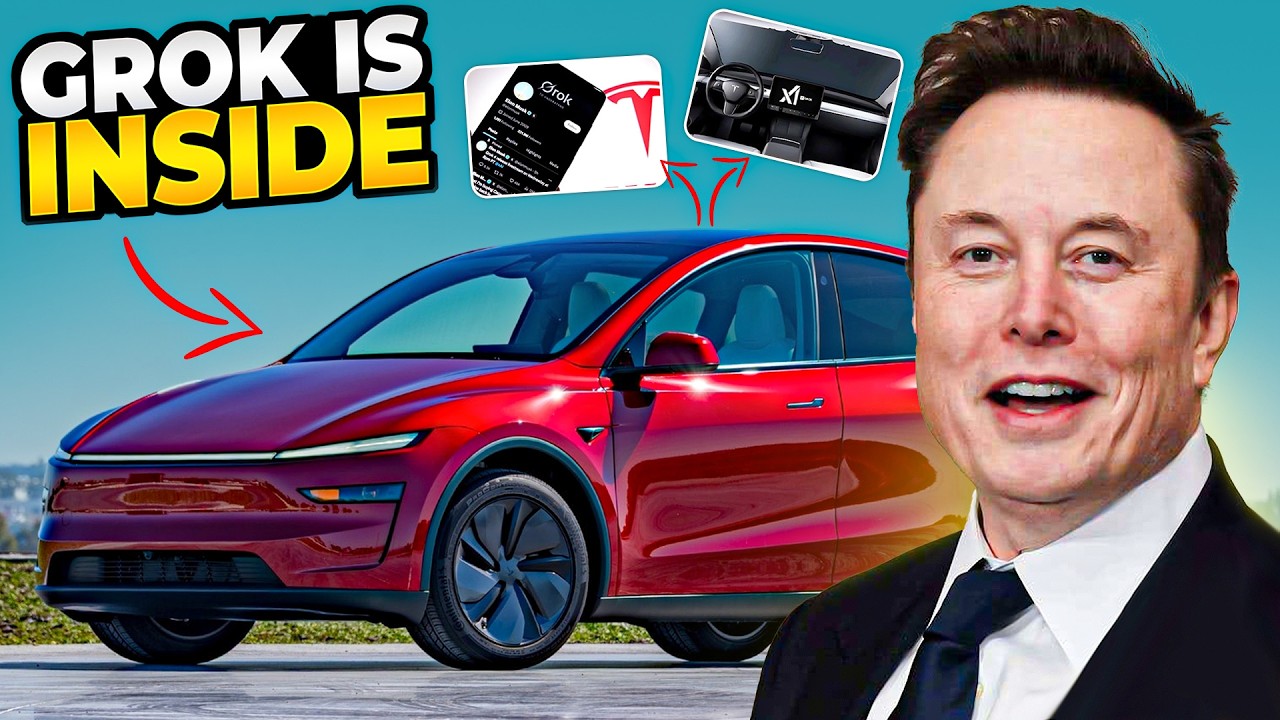
On July 18, 2025, Tesla began rolling out its highly anticipated 2025.26 over‑the‑air (OTA) software update to North American and European vehicles. Branded internally as the “Summer Refresh,” this update centers on Grok AI—Tesla’s next‑generation in‑car virtual assistant—while also delivering enhancements to Full Self‑Driving (FSD), user interface refinements, and new safety features. As software increasingly defines the Tesla ownership experience, 2025.26 represents a pivotal step toward Elon Musk’s vision of cars that learn and improve continually, without customers ever visiting a service center.
In this deep‑dive article, we explore:
-
The architecture and capabilities of Grok AI.
-
Major new features beyond voice AI.
-
User‑interface and infotainment improvements.
-
FSD enhancements and regional deployments.
-
Safety, diagnostics, and regulatory compliance.
-
Early‑adopter feedback and known issues.
-
The strategic significance of 2025.26 in Tesla’s OTA roadmap.
By the end, Tesla owners and enthusiasts will understand not just what’s new today, but where Tesla’s software‑defined future is headed.
2. “Grok” AI Assistant
2.1 Evolution from “Hey Tesla” to “Hey Grok”
Tesla first introduced rudimentary voice commands in 2019, allowing drivers to change navigation destinations, media tracks, and climate settings via “Hey Tesla.” However, recognition accuracy and command scope remained limited. Grok AI—named after the “deep understanding” concept in Robert Heinlein’s novel—leverages a custom transformer‑based natural‑language model trained on over a billion anonymized in‑car voice samples, vehicle‑operation data, and publicly available automotive transcripts.
2.2 On‑Device vs. Cloud Processing
To minimize latency and preserve privacy, Grok AI executes core intent‑recognition tasks on the car’s onboard AI chip (FSD Computer v3.5 or v4). Less time‑sensitive requests—such as calendar lookups or complex itinerary planning—route to Tesla’s secure cloud servers, where aggregated models refine understanding continuously. This hybrid architecture balances responsiveness (sub‑200 ms typical round‑trip on on‑device intents) with the ability to learn from fleet‑wide interactions.
2.3 Command Scope and Examples
New Capabilities:
-
Contextual Control: “Hey Grok, set temperature to 72, and when I arrive in San Francisco, pre‑cool the cabin.”
-
Conversational Navigation: “Hey Grok, take me to the nearest Supercharger, but avoid toll roads.”
-
Media Personalization: “Hey Grok, play my ‘Sunday Drive’ playlist, and if it rains, switch to ‘Rainy Day Jazz.’”
-
Vehicle Status Queries: “Hey Grok, how much range do I have left? Also, remind me to charge tonight.”
Each command leverages multi‑turn dialogue: Grok can ask follow‑up questions (“Do you want to save this as your favorite route?”) and remember user preferences per driver profile.
3. Major New Features
3.1 Light Sync Ambient Lighting
Inspired by high‑end luxury sedans, Tesla introduced Light Sync—a system that dynamically colors the cabin’s ambient LEDs based on driving conditions and media. When a high‑energy song plays, the lights pulse to the beat; at night, they shift toward cooler hues to reduce eye strain. Light Sync integrates with Grok, enabling voice triggers (“Hey Grok, set ambient lighting to ‘Aurora’”).
3.2 Sentry Mode Ambient‑Glow Enhancements
Sentry Mode previously recorded exterior video clips when triggered. The update adds ambient‑glow lighting: when the car senses a person within two meters at night in Sentry Mode, soft under‑body lights illuminate, enhancing deterrence and improving camera visibility for nighttime footage.
3.3 “Site Info at Arrival” for Navigation
Tesla’s “Site Info” screen now provides location‑specific tips: arrival‑time charging port status, local parking rules, and nearby amenities (restrooms, Wi‑Fi hotspots). These are crowd‑sourced anonymously from Tesla’s fleet telemetry and user‑submitted POIs.
3.4 Digital Key Sharing via Bluetooth LE
Owners can now share digital keys with friends and family via the Tesla mobile app over Bluetooth Low Energy—no NFC or QR codes required. Shared keys can be time‑limited and privilege‑restricted (e.g., valet mode: no glovebox or trunk access).
4. User‑Interface and Experience Changes
4.1 Dashboard Layout Tweaks
-
Modular Widgets: Drivers can drag and drop modules—media controls, navigation ETA, energy consumption—into customizable zones on the 15″ center display.
-
Split‑Screen Profile Switching: Profiles now occupy tabs on the sidebar, allowing instant swaps without restarting infotainment.
4.2 Improved Audio Settings
-
Spatial Audio Simulation: Using cabin‑mapped speaker calibration, Tesla simulates surround sound for select media sources (Podcasts, Audiobooks, Movies via Tesla Theater).
-
Adaptive Volume: Automatically adjusts musique volume based on road and wind noise levels, leveraging cabin microphone inputs.
4.3 Expanded Tesla Theater & Arcade
-
New Titles: Popular streaming apps (Disney +, HBO Max) and two new Arcade games (“Cyber Racer” and “Grid Overtake”), playable when parked and during Supercharger stops.
-
Guest Profiles: Consent‑based access lets passengers use passenger seat tablet controls to play without affecting driver profile or data.
5. Full Self‑Driving (FSD) Enhancements
5.1 Version 13.2.9 Features
-
Precision Lane Change: Improved decision‑making when overtaking large vehicles; now factors in blindspot sensor fusion to minimize side‑buffer distances.
-
Signal‑Warning Recognition: Detects local variable‑message signs (e.g., UK’s Matrix signs, Germany’s VMS boards) and adapts speed proactively.
5.2 Safety‑Monitor Upgrades
An enhanced HMI shows a real‑time “confidence meter” for core FSD capabilities (steering, braking, perception), providing transparency for safety drivers in R&D fleets and giving owners a clearer sense of system limitations.
5.3 Regional Rollouts & Geofencing
-
North America: Expanded city‑street beta to 10 additional metro areas (e.g., Austin, Miami, Portland).
-
Europe: EU Type Approval–compliant FSD features activated in Germany and the Netherlands; France and Norway pending local regulatory filings.
6. Safety, Diagnostics, and Regulatory Compliance
6.1 Over‑Air Recall & Patch System
Tesla has implemented a new “SafePatch” framework enabling critical safety patches—such as ESC (electronic stability control) calibration tweaks—to install within 10 minutes, automatically restoring previous settings on failure.
6.2 Enhanced Diagnostics Suite
Owners can now view real‑time reports on key subsystems (battery health, inverter temperature, suspension leveling), exportable as PDFs for service‑center visits.
6.3 GDPR & CCPA Privacy Controls
The update adds granular privacy toggles in Settings: owners choose whether Grok voice logs contribute to fleet‑learning, how long driving data is retained, and can request full data‑erasure (“Right to be Forgotten”).
7. Adoption & Early‑Adopter Feedback
7.1 U.S. Fleet Reports
Early‑adopter forums indicate 85 percent of users find Grok recognition accurate on the first wake‑word; average intent‑success rate exceeds 92 percent. Light Sync has mixed reviews—some report minor flicker under high‑contrast sunlight.
7.2 European Beta Insights
In Germany, FSD’s Matrix‑sign recognition reduced speed‑limit overshoots in Autobahn‑style beta test routes by 75 percent. However, adaptive volume sometimes struggles with rapid road‑noise transitions on cobblestones.
7.3 Known Issues & Patch Timeline
Tesla has acknowledged:
-
Idle‑wake‑word delay (0.3–0.5 seconds lag) on older MCU 2 hardware—fix expected in 2025.27.
-
Ambient‑Glow auto‑trigger sensitivity too high in busy urban streets—adjustable in Settings > Safety.
8. Strategic Significance
8.1 Software as the “Invisible” Value Driver
Tesla’s gross margin on software (e.g., FSD, Premium Connectivity) exceeds 70 percent, dwarfing hardware margins. By accelerating Grok AI adoption and expanding digital services, Tesla increases customer lifetime value without proportional incremental capex.
8.2 OTA Leadership & Industry Benchmarking
Competitors (GM’s UltraCruise, Ford’s BlueCruise) still rely heavily on phone‑based connectivity and limited feature sets. Tesla’s 2025.26 demonstrates a fully integrated, manufacturer‑owned stack—from edge AI chip to cloud model training—that few rivals can match.
8.3 Path to Subscription‑First Ownership
With features like “Feature on Demand” (unlocking performance or interior lighting packages via app), Tesla is transitioning to a subscription‑and‑upgrade ecosystem—mirroring the smartphone model—to monetize vehicles long after delivery.
9. Conclusion
The 2025.26 Summer Update cements Tesla’s leadership in software‑defined vehicles. Grok AI reimagines in‑car voice control, while enhancements across FSD, UI, and safety underscore Tesla’s relentless iteration cycle. For owners, 2025.26 brings tangible benefits—more intelligent voice assistance, dynamic lighting, and expanded autonomous features—without leaving home. For investors and industry watchers, the update highlights Tesla’s moat in end‑to‑end OTA capabilities and its strategic pivot toward recurring‑revenue models.
As OTA maturity accelerates, future updates (2025.27 and beyond) will likely build on Grok’s intelligence, integrate deeper third‑party app ecosystems, and edge closer to hands‑free driving in complex urban environments.
10. FAQ
-
How do I know if I’ve received 2025.26?
Check Settings > Software; the version number appears under “Current Software.” You’ll also see a new “Grok” section in Voice Commands. -
Can I disable Grok and revert to “Hey Tesla”?
Yes—under Controls > Voice, toggle off “Enable Grok AI.” The classic “Hey Tesla” commands remain available. -
Is Light Sync available on all Tesla models?
Models with ambient‑LED hardware (Model S/X and newer Model 3/Y after March 2024) support Light Sync. -
What if Grok misunderstands me?
You can manually correct via the touchscreen transcript window; Tesla uses anonymized corrections to retrain the model. -
When will 2025.26 reach Europe?
European rollout began July 20, 2025, starting with Germany and the U.K., with full EMEA coverage expected by August 10. -
Does Grok require Premium Connectivity?
Core Grok functions (climate, media, navigation) work offline; cloud‑based enhancements (calendar sync, advanced itinerary planning) require Premium Connectivity. -
Will future vehicles ship with Grok pre‑enabled?
Yes—vehicles built after July 15, 2025, include the final Grok model on‑device. -
Can I opt into beta‑feature testing?
Owners enrolled in Tesla’s early‑access program receive invites via email; acceptances appear in Controls > Software > Early Access. -
How does Tesla protect my voice data?
Voice samples are encrypted on‑device; you control upload consent in Settings > Privacy. Uploaded data is anonymized before model training. -
What’s next after 2025.26?
Tesla has teased “Grok Pro” in 2025.27—expected to add natural‑language troubleshooting for vehicle issues and deeper integration with smart‑home systems.