
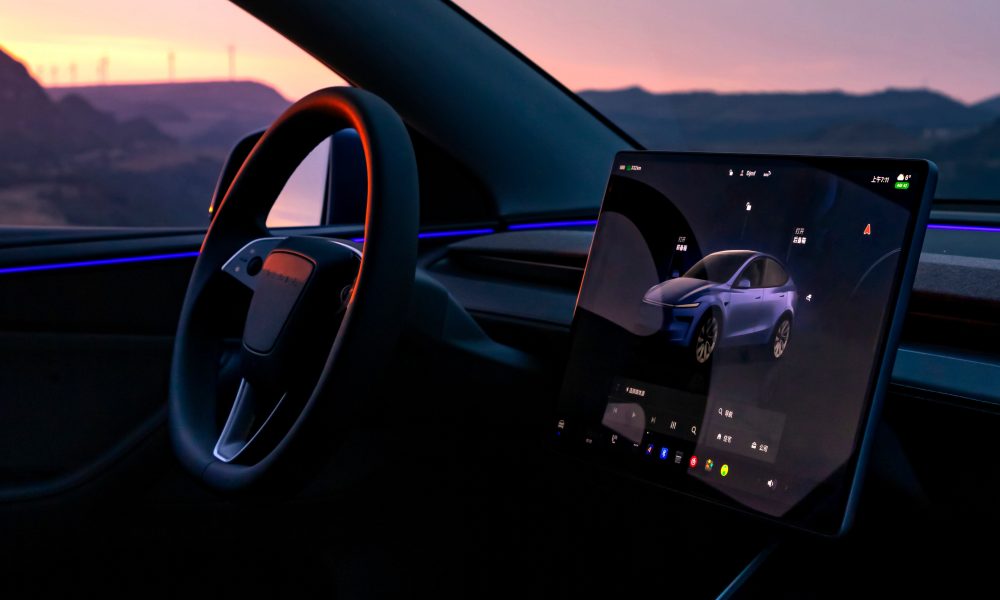
Since July 25, 2025, Tesla owners with AMD‑powered in‑car computers have begun receiving over‑the‑air updates that embed xAI’s conversational engine, Grok 4, directly into their dashboards. This marks a major leap beyond basic voice commands, bringing true conversational AI capable of handling complex, multi‑step queries without relying on the driver’s smartphone. In this article, we explore the technical foundations of Grok 4 in Tesla, the enhancements it brings to user experience, safety and privacy considerations, comparisons with competitive automotive assistants, and Tesla’s roadmap for further AI‑driven features. Our goal is to give U.S. and European Tesla owners a deep, practical look at what this update means for daily driving—and a peek at what’s coming next.
Chapter 1: Technical Background
1.1 Evolution of Tesla’s In‑Car Compute
Tesla has steadily upgraded the in‑car computer on its vehicles since the MCU1 days (introduced in 2012’s Model S). In late 2021, Tesla began shipping MCU3 based on AMD’s Ryzen “Rome” APU architecture, which offers multi‑core CPU performance alongside an integrated RDNA 2 GPU—enough horsepower to run large neural nets on‑device. Prior voice features (e.g., “Navigate to Home”) relied on lightweight rule‑based recognition and cloud processing; Grok 4, by contrast, is a transformer‑style large language model distilled to fit within the MCU3’s constraints, running entirely offline for latency and privacy reasons.
1.2 What Is Grok 4?
Grok 4 is the latest iteration of xAI’s conversational agent, trained on a broad mix of publicly available text, code, and dialogue transcripts. It can handle follow‑up questions, multi‑turn dialogues, and reasoning tasks such as summarization or multi‑step instructions. Its distilled architecture uses quantized weights to fit into ~8 GB of VRAM, trading off extreme reasoning depth for responsive, on‑device performance.
1.3 How the Over‑The‑Air (OTA) Update Works
-
Delta Packaging: Tesla’s OTA system transmits only weight deltas for Grok 4, keeping download sizes under 200 MB.
-
Fallback Modes: If the device fails to load Grok, it reverts to native voice recognition with limited capabilities.
-
Integration Hooks: Grok lives alongside Tesla’s MCU OS, accessed via “Hey Tesla” hotword or steering‑wheel button.
1.4 Hardware Requirements
-
Supported Models: Any Tesla built since Q4 2021 with MCU3 (Model S/X “Raven,” Model 3 Highland, Model Y Juniper).
-
Pending Upgrades: Owners of MCU2 vehicles (pre‑2021) can retrofit via Tesla’s paid MCU upgrade service, which now bundles Grok-ready firmware.
Chapter 2: User Experience Enhancements
2.1 Natural-Language Interactions
Grok 4 allows truly conversational queries:
“Hey Tesla, what’s the fastest route to work avoiding tolls and heavy traffic this afternoon?”
“Hey Tesla, summarize my calendar events for today and add an hour meeting for email catch‑up.”
2.2 Media & Climate Controls
Beyond simple “Set temperature to 72°F,” Grok understands context:
-
“Make it warmer if it’s below 65 outside when I leave home.”
-
“Play my ‘Sunday Chill’ playlist, but lower the volume for the first track.”
2.3 Navigation Intelligence
-
Multi‑Stop Routing: “Add a charging stop at the nearest Tesla Supercharger on my way to the grocery store.”
-
Traffic Summaries: “Do I need to leave 10 minutes earlier to beat the rain‑related slowdown on I‑95?”
2.4 Accessibility & Driver Monitoring
-
Voice‑Only Operation: For drivers who cannot touch the screen.
-
Wake‑Word Sensitivity Adjustment: Drivers can set Grok to respond only to steering‑wheel button or a longer phrase (“Hey Tesla, activate AI”).
2.5 Real‑World Scenarios
-
Long Road Trips: Use Grok to plan daily charging stops, suggest rest areas, and find restaurants with EV charging.
-
Daily Commutes: Monitor routine traffic patterns and proactively suggest departure times.
Chapter 3: Safety & Privacy Considerations
3.1 On‑Device vs. Cloud Processing
Grok 4 runs entirely within the MCU, eliminating round‑trip latency and reducing data sent externally. This contrasts with smartphone‑based assistants (Siri, Google Assistant), which send raw audio to cloud servers for processing.
3.2 Data Encryption & Storage
-
Encrypted Weights: Model weights are stored encrypted on the SSD, decrypted only in‑RAM at runtime.
-
Interaction Logs: User queries are stored only locally and purged after 30 days by default; owners can opt to disable logging altogether.
3.3 Over‑The‑Air Security
Tesla’s OTA uses end‑to‑end signature verification; Grok payloads are authenticated with rotating keys to prevent man‑in‑the‑middle tampering.
3.4 Regulatory Compliance
-
GDPR (EU): Tesla has added UI prompts allowing EU drivers to review and delete any stored voice data.
-
CCPA (California): California owners can request a data report, including voice‑interaction logs used by Grok.
3.5 Ethical AI & Bias Mitigation
xAI and Tesla collaborated to fine‑tune Grok on balanced dialogue datasets, reducing biases in demographic or location‑based queries (e.g., filtering hate speech).
Chapter 4: Comparison to Competitors
4.1 BMW Intelligent Personal Assistant (IPA)
-
Cloud‑Based: Requires BMW servers for advanced queries; latency can reach 2–3 s.
-
Scope: Primarily supports preset commands (navigation, phone, media).
4.2 Mercedes MBUX
-
Mixed Processing: Some intents handle offline (media), while complex requests go to the cloud.
-
Multimodal: Integrates touch‑screen handwriting recognition and camera‑based gesture controls.
4.3 Volvo’s Google‑Built Assistant
-
Android‑Native: Deep integration with Google services but requires driver Google account and cellular data.
-
Smart‑Home Links: Rich home‑automation control, but privacy concerns over Google sharing.
4.4 What Sets Grok Apart
-
Fully Offline, Low Latency: ~200 ms response times.
-
Extensible API: Third‑party Tesla‑approved skill support (e.g., restaurant booking).
-
Unified Tesla Ecosystem: Deep integration with FSD features and upcoming SmartCabin systems.
Chapter 5: Future Roadmap
5.1 FSD & Autonomy Integration
-
Dynamic Decisions: “Hey Tesla, when it’s raining, adjust FSD following distance to ‘conservative.’”
-
Predictive Safety Queries: “What’s the weather like ahead on my route, and should I switch to defensive FSD mode?”
5.2 Tesla App Synergy
-
Cross‑Device Context: Grok suggestions on the car appear on the phone app and vice versa (“Your car’s battery is at 30%—would you like to set charging to 80% overnight?”).
5.3 xAI Collaboration
-
Model Refinements: Quarterly Grok 4.1/4.2 rollouts to expand capabilities (multi‑language support, richer knowledge graphs).
-
Edge‑Cloud Hybrid: In rare cases (e.g., very complex financial or scientific queries), fall back to xAI’s cloud backend for extended reasoning.
5.4 Expansion to European Markets
-
Language Packs: Native support for German, French, Spanish, Italian, and Scandinavian languages.
-
Local Data Feeds: Integration of European traffic, weather, and EV‑charging networks.
5.5 Developer Ecosystem
-
Tesla Skills Store: Owners can download Tesla‑sanctioned “skills” (e.g., Tesla‑branded games, productivity apps) that leverage Grok’s dialogue.
Conclusion
The arrival of Grok 4 within Tesla’s MCU3‑powered vehicles heralds a new era of in‑car intelligence: fast, private, and deeply integrated. U.S. and European Tesla owners will quickly appreciate the difference between a simple voice command and a true conversational partner that can plan trips, manage in‑car settings, and even interact with external apps—all without leaving the dashboard. While safety, privacy, and regulatory compliance remain paramount, Tesla’s fully offline approach and rapid OTA rollout model set it apart from traditional OEMs. Looking ahead, tighter FSD integration, multilingual expansion, and a sandboxed developer ecosystem promise to keep Tesla at the forefront of automotive AI. For today’s Tesla driver, Grok 4 isn’t just another feature—it’s a glimpse of what mobility will feel like when your car truly understands you.
FAQ
-
Which Tesla models support Grok AI today?
All vehicles built since late 2021 with MCU3 (Model S “Raven,” Model 3 Highland, Model X “Plaid,” Model Y Juniper). -
Does Grok require a data plan?
No—Grok runs fully on‑device. Data is used only for optional map/traffic updates. -
Can I disable Grok and revert to prior voice commands?
Yes—under Settings → Voice, toggle between “Tesla Native” and “Grok AI.” -
Is my voice data sent to Tesla or xAI servers?
By default, no. All processing stays on your MCU; you can enable logging and cloud sync at your discretion. -
When will Grok reach non‑AMD Teslas?
Tesla plans to offer an MCU3 retrofit (paid upgrade) that includes Grok‑capable firmware.